The DreamWay app for Android
Because Every Dream Needs a Way.
Turn the dream you keep coming back to into a plan you can follow — shaped with an AI assistant, broken into milestones and daily tasks, and cheered on by other dreamers.

Coming soon on iPhone

Already on DreamWay? Sign in
How it works
From a dream to done, one step at a time
Follow one dream — “Run a half marathon by spring” — from the first sentence to the finish line.
Step 1 of 7: Start
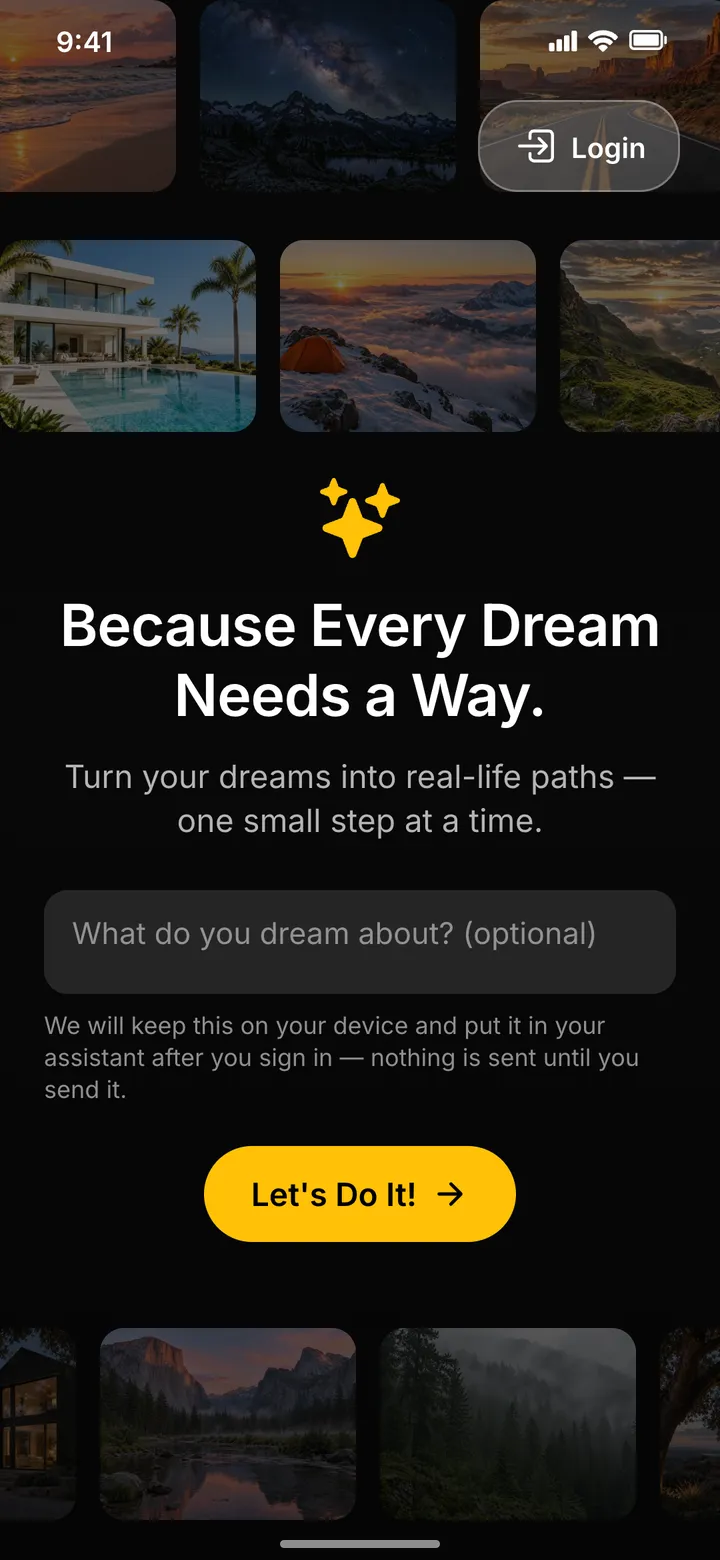
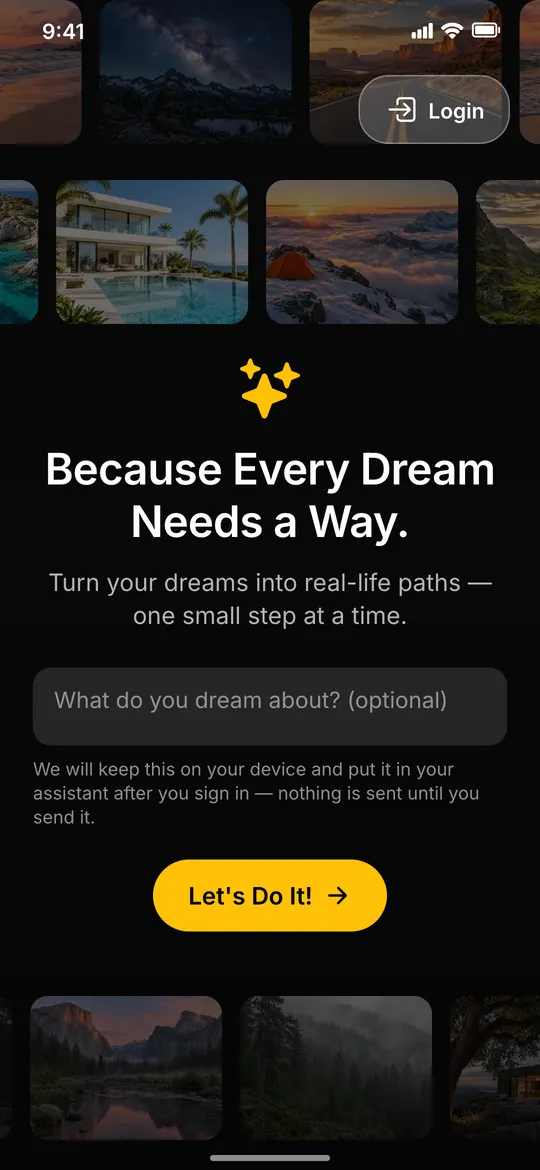
Start with what matters to you
Open DreamWay and begin with the dream you keep coming back to.
Every kind of dream
Trips, homes, summits and sailboats drift by: big or small, every dream can start here.
Jot your dream down first
The optional field keeps it on your phone and hands it to your assistant once you sign in.
Tap “Let’s Do It!”
It opens sign-up; once you’re in, your assistant is ready to hear about your dream.
Step 2 of 7: Dream
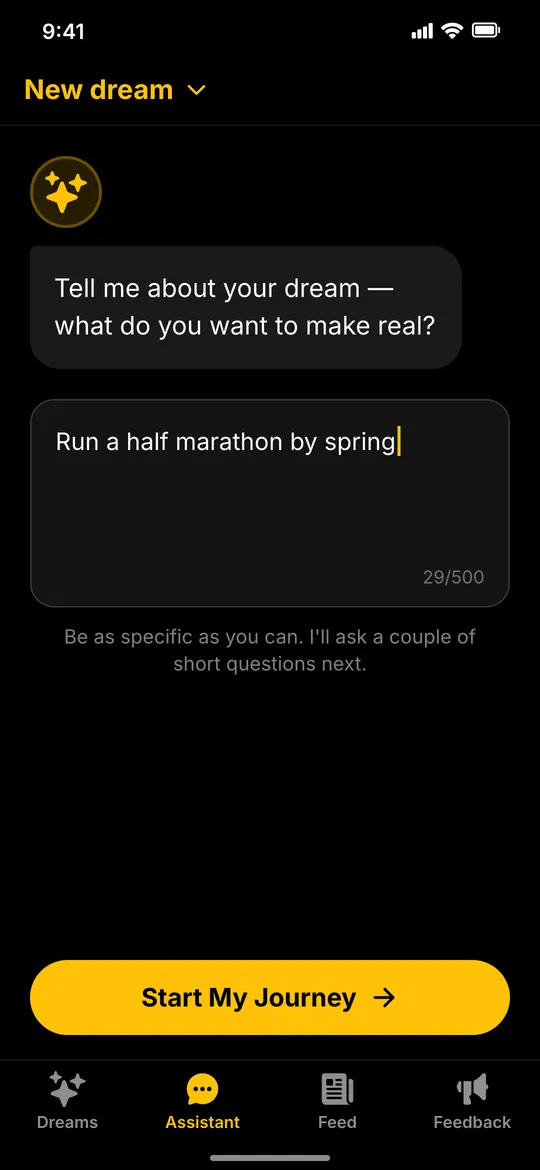
Say your dream in your own words
Tell the assistant what you want to make real — like “Run a half marathon by spring.”
One open question
The assistant starts simply: tell me about your dream — what do you want to make real?
Your words, no forms
Type it the way you’d say it to a friend: “Run a half marathon by spring.”
Start your journey
One tap on “Start My Journey” sends it, and the assistant gets to know your dream.
Step 3 of 7: Assistant
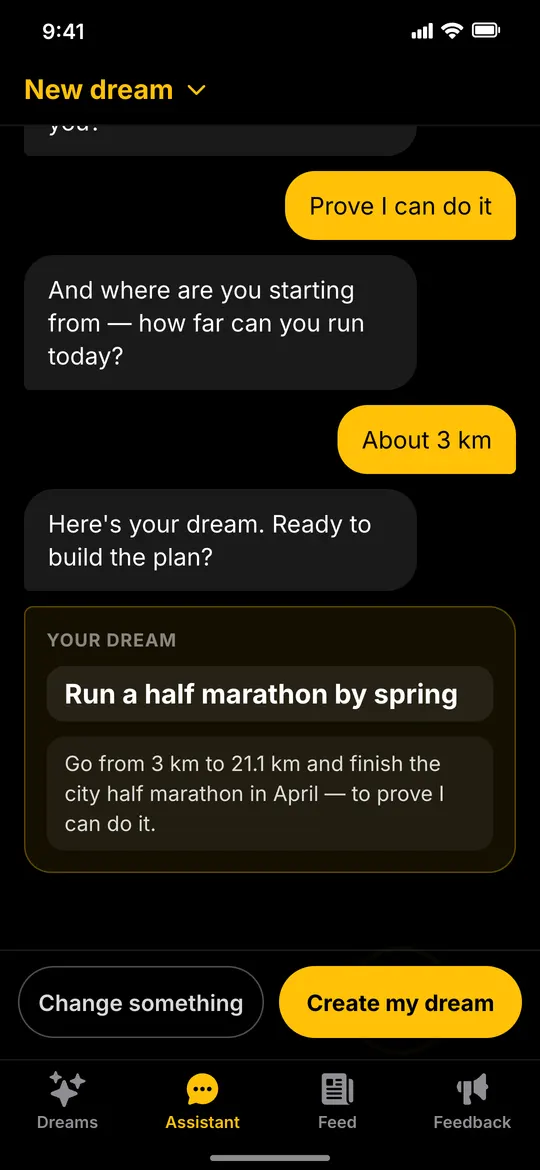
Your AI guide asks the right questions
A few short questions turn a wish into a clear dream: when, why it matters and where you’re starting from.
Asks when you want it
First, a target. Tap a suggestion or type your own: here, the city half in April.
Asks why it matters
Your reason, “Prove I can do it,” becomes part of the dream’s description.
Asks where you’re starting from
About 3 km today. Knowing your starting point keeps the first steps within reach.
Sums it up as your dream
A clear dream card to review: create it as it is, or change something first.
Step 4 of 7: Plan
A plan with milestones and daily tasks
DreamWay breaks the dream into milestones — from your first 5K to race day — each with concrete tasks.
Milestones from 5K to race day
Your dream becomes four milestones with time estimates, plus a rough budget and a target date.
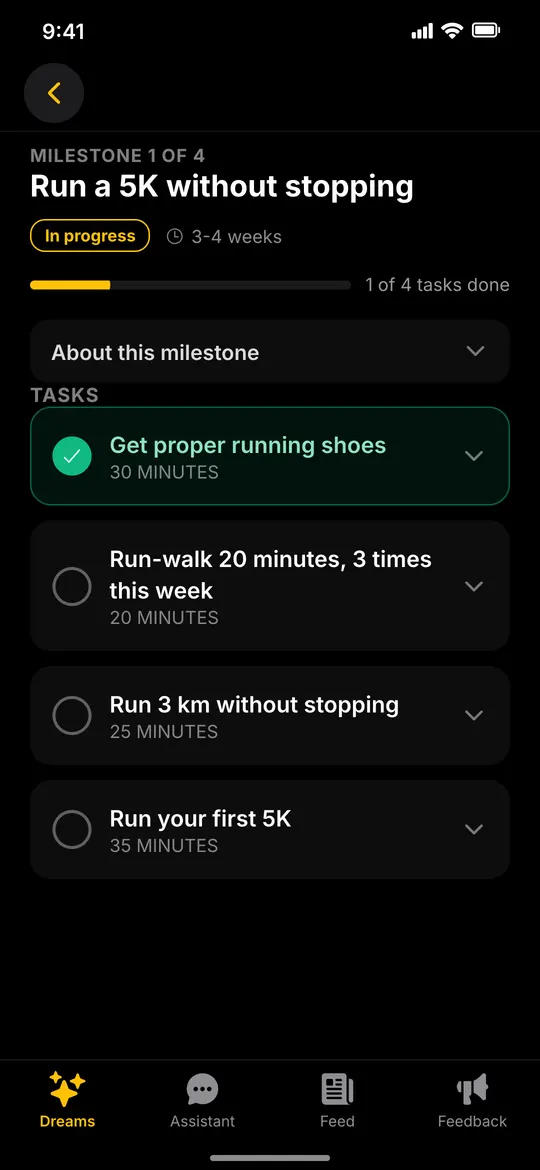
Open the current milestone
Inside are concrete tasks, each with an effort estimate, like “Get proper running shoes · 30 minutes.”
Check off your first task
Tick it and the milestone’s progress bar moves: 1 of 4 tasks done.
Step 5 of 7: Progress
Log progress, add photos, see it grow
Check off tasks, jot down notes and share progress photos as the progress bar fills up.
Every task counts
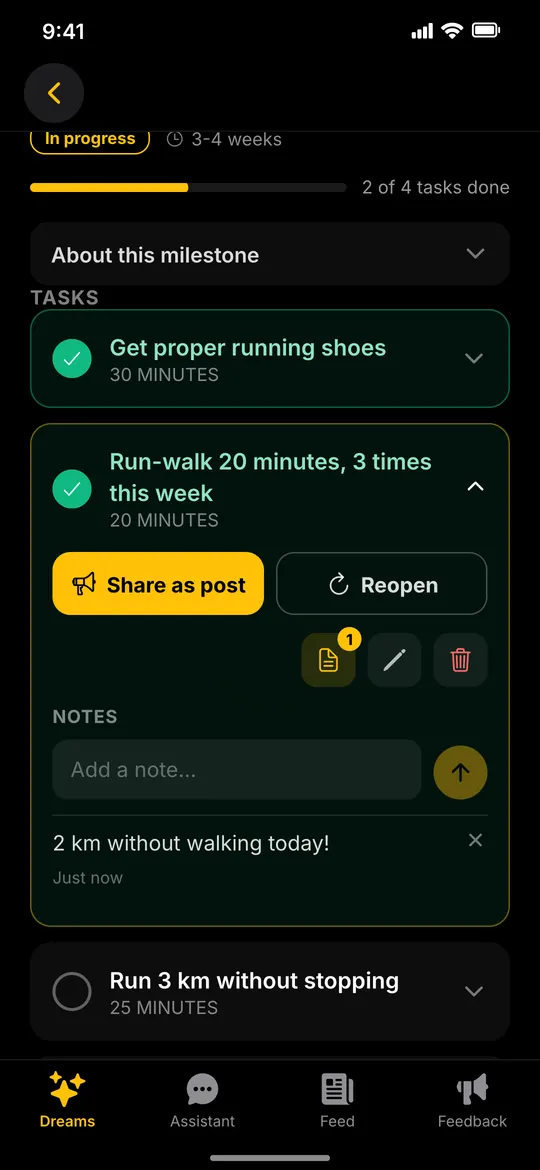
Check off the next task: a small burst of fireworks, and the milestone moves to 2 of 4.
Note how it went
Add a quick note to the task, like “2 km without walking today!”, to keep each small win.
Share it with a photo
“Share as post” fills in a post about the task; add a photo and publish it to the feed.
Step 6 of 7: Community
Get inspired by people chasing theirs
Follow other dreamers in the feed, like their progress and leave a comment.
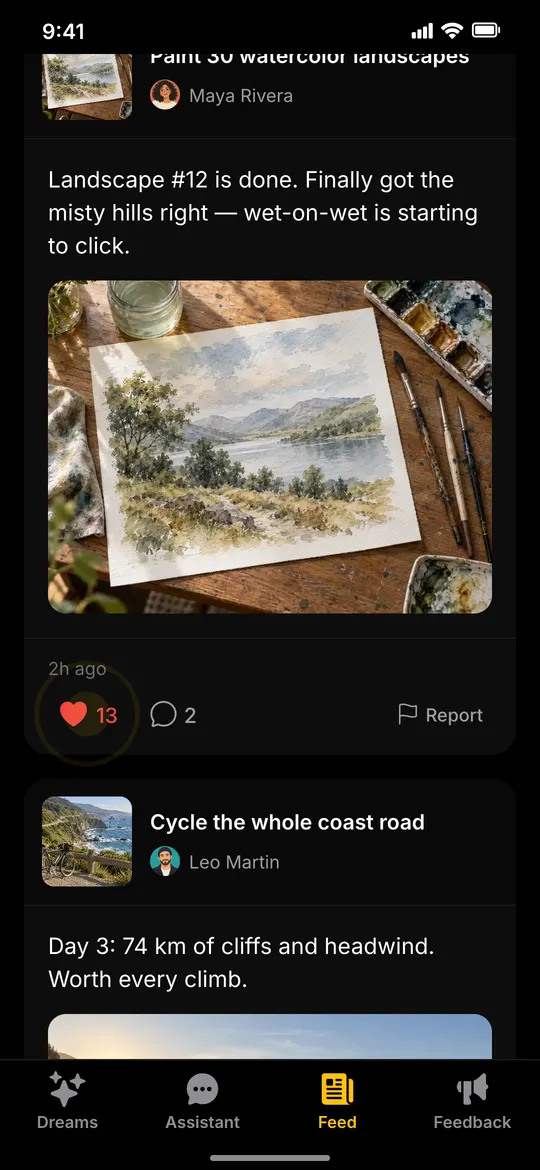
Your post, among others
The feed shows your update next to progress from other dreamers chasing their own goals.
Cheer with a like
One tap on the heart lets someone know their progress was seen.
Leave a kind comment
Open the comments and add a few words of support: “So calm and beautiful — keep going!”
Follow their journey
Open the author’s profile to see their dreams, then follow to get their posts in your feed.
Step 7 of 7: Achieved
Dream achieved. What’s next?
Every milestone done, the dream marked complete. Get DreamWay and take your first step today.
The final task, checked
Race day’s last task is done: “Milestone complete!” and a shower of confetti.
Your assistant asks first
It sees every milestone is done and asks before marking the dream complete; you approve it.
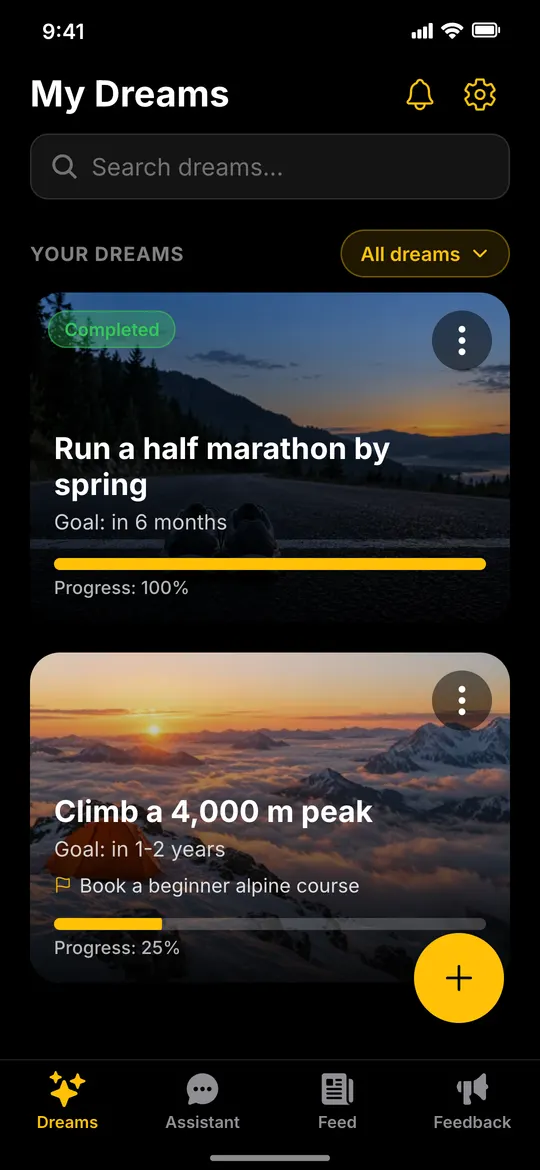
Completed, at 100%
My Dreams shows it Completed, right next to the next dream you’re working toward.
Get the app
Your dream is waiting for its first step.
Download DreamWay on Google Play today. The iPhone app is on its way.
Coming soon on iPhone
Already have an account? Sign in